Alors on Danse AI. Find your duo’s rhythm.
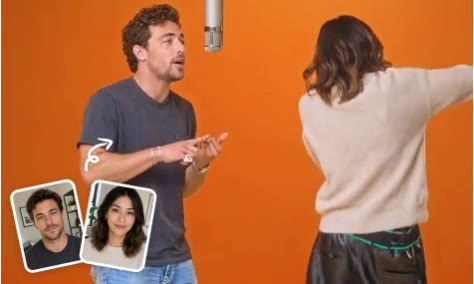
A compact keyboard, rhythmic head nods and a partner answering with comic gestures. This template turns the keyboard-duo idea into a short, character-led studio scene.
- 5-second video
- 16:9
- One reference image
- No generated audio
Checking video generation availability. You can explore the template and prompt.
This reference was published by the credited source. Its length and soundtrack may differ from the 5-second, silent video recipe available here.
Keyboard performer meets comic partner
The saved scene gives the duo different roles: one performs at a compact keyboard while the other leans in with a reaction. A small camera push-in brings attention to their timing.
Choose a readable two-person composition
Prepare one reference image with both people visible. Keep faces separated and leave space below their shoulders for the keyboard and gestures. Two independently uploaded portraits are not supported here.
Use reactions instead of elaborate choreography
A nod, a lean and one clear hand gesture are enough to establish the exchange. A stable camera and a simple background help keep attention on the duo rather than on complex dance steps.
Visual timing does not include music sync
The current recipe creates a 5-second 16:9 silent video. It does not include the original Alors on Danse recording, a song-length sequence or guaranteed beat-matched hands and lips.
From photo to a short scene
Prepare the duo reference
Choose one same-frame photo with clear faces and some room for gestures around the upper body.
Review the keyboard scene
Open the template to inspect the performer-and-partner prompt. Keep the keyboard action and reaction easy to read.
Check the exchange
Once generation is available, review faces, hands and the keyboard. If you add music later, use a track you have permission to publish.